
Latest updates
CUE Solution | Version 13.8.1 released
The latest CUE Solution release brings one of the most significant additions in recent years: Device-Oriented Apps.
First introduced at ISE 2026, these applications extend the CUE ecosystem beyond traditional room control and reservation use cases, enabling organizations to deliver new services through dedicated, purpose-built user experiences.
The first two applications now available are Monitor & Control App and Digital Signage App.
What are Device-Oriented Apps?
Device-Oriented Apps are dedicated applications designed for specific use cases. Instead of building custom interfaces from scratch, organizations can deploy ready-to-use applications focused on monitoring, control, digital signage, navigation, feedback collection, and other scenarios.
Each application is licensed separately, allowing customers to select only the functionality they need and scale their solution as requirements grow.
For deployments beyond the CUE hardware ecosystem, a new Third-Party Device license enables Device-Oriented Apps to run on supported third-party hardware platforms.
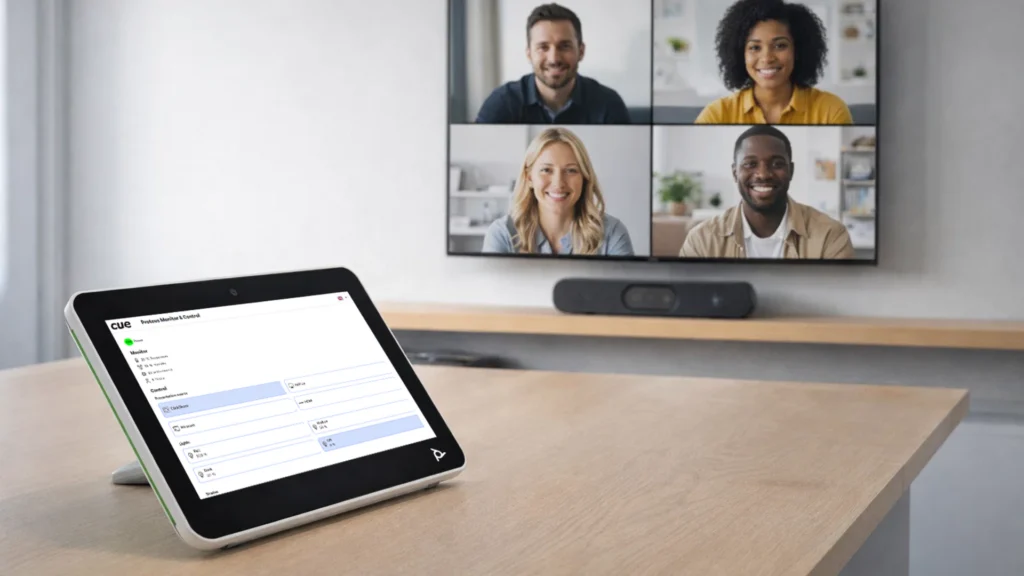
Monitor & Control App
The new Monitor & Control App provides a browser-based interface for monitoring and controlling connected technologies from virtually any device.
Users gain a clear overview of monitored values such as temperature, humidity, CO₂ levels, occupancy, and device status, while also being able to control connected systems through an intuitive web interface.
Because the application is fully integrated with CUE Solution, monitoring and control become available without requiring additional software installation or dedicated client applications.
Key benefits
- Access from any device with a web browser
- Real-time monitoring of sensors and connected equipment
- Intuitive control interface
- Full integration with CUE Solution
- Secure authentication
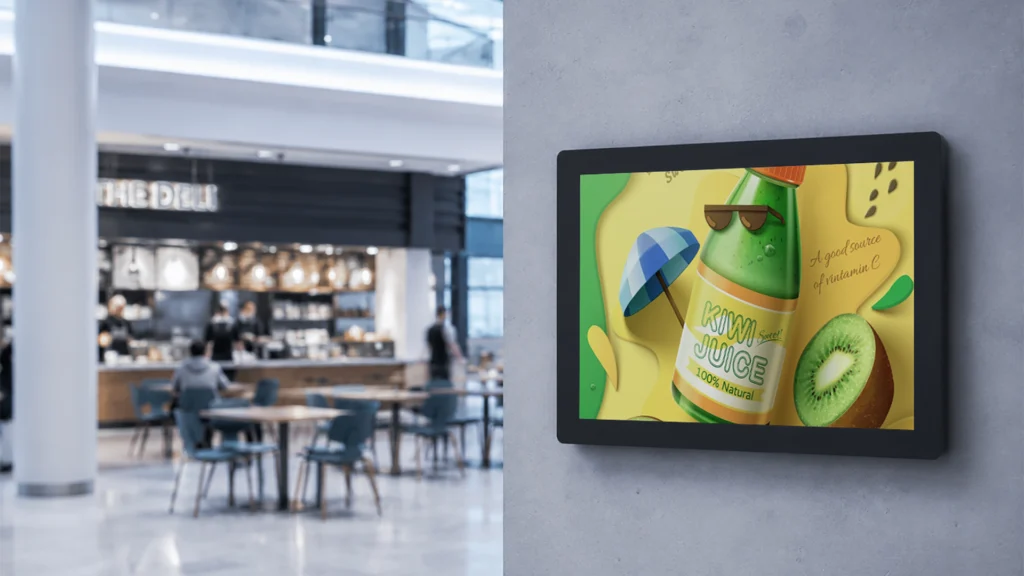
Digital Signage App
The new Digital Signage App transforms any display with a web browser into a centrally managed digital signage endpoint.
Organizations can easily publish videos, images, and web content while managing multiple displays from a single platform.
Whether used for corporate communication, visitor information, promotions, or wayfinding, Digital Signage App provides a simple and scalable deployment model without specialized hardware requirements.
Key benefits
- Works on virtually any web-enabled display
- Centralized content management
- Easy deployment
- Flexible content scheduling
- Cost-effective scaling
Try the applications yourself
Both applications are available as online demonstrations and can be explored directly through their product pages. Customers and partners can experience the user interface, workflows, and overall capabilities before deployment.
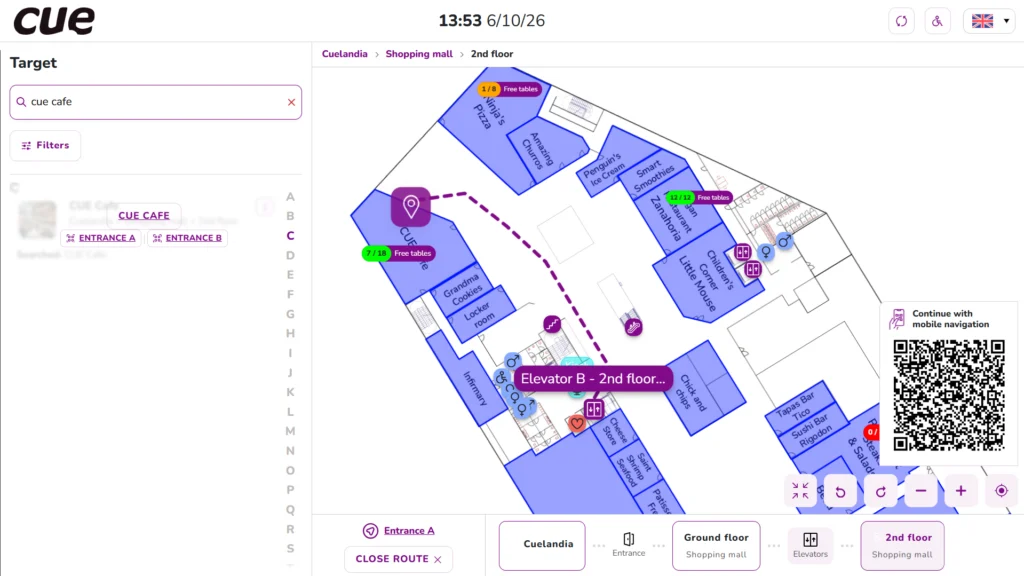
Smarter mobile navigation with rotating floorplans
This release also introduces a new OpenLayers-based navigation option that enables floorplan rotation.
For mobile users, this means the map can rotate according to orientation while the user’s position remains consistently aligned, making navigation significantly more intuitive and natural.
Instead of constantly interpreting map orientation, users simply follow the route in the direction they are moving.
This enhancement is particularly valuable for larger buildings, campuses, healthcare facilities, and complex office environments.
Better CUE Assist experience
CUE Assist continues to evolve into a more powerful self-service interface.
Improved QR code scanning
The experience after scanning a QR code has been completely redesigned. Instead of opening a simple information page, users now access a dedicated hub that becomes the starting point for multiple actions related to the selected room, resource, or point of interest.
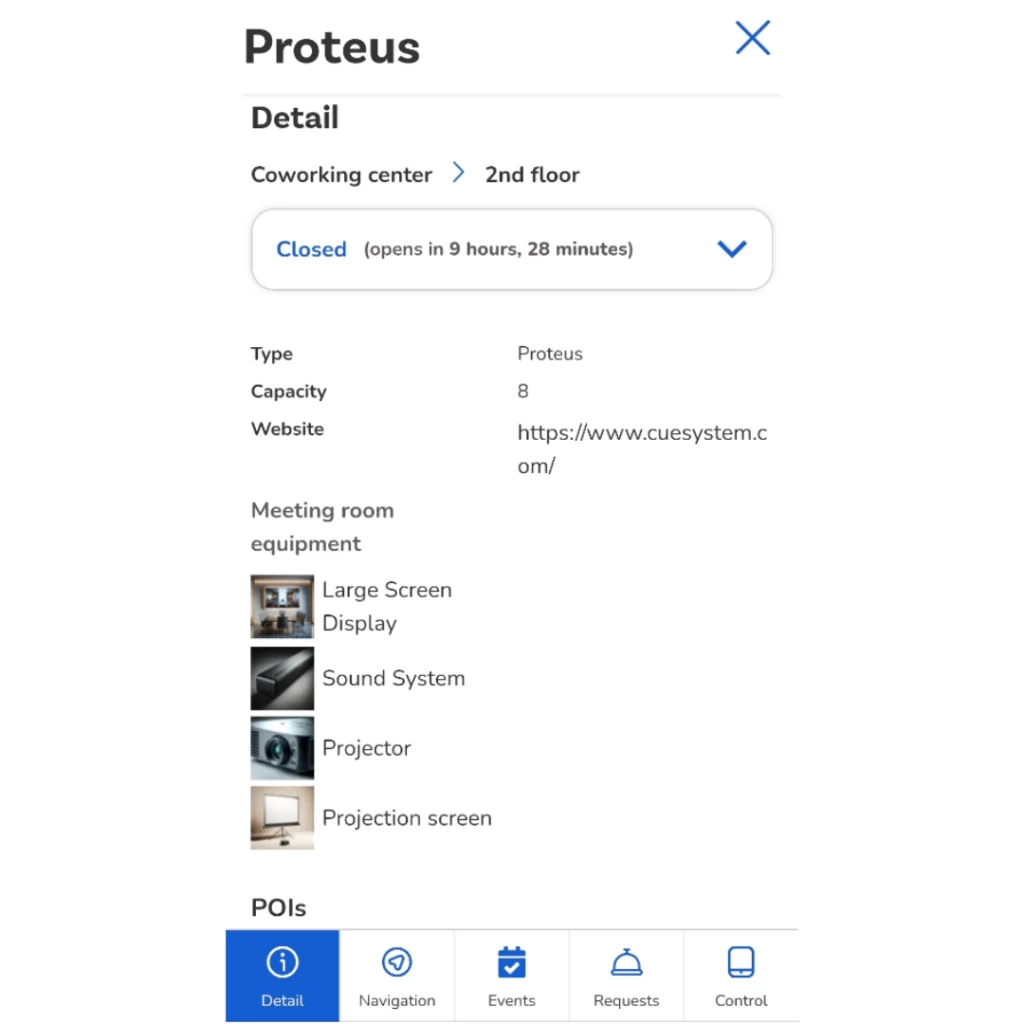
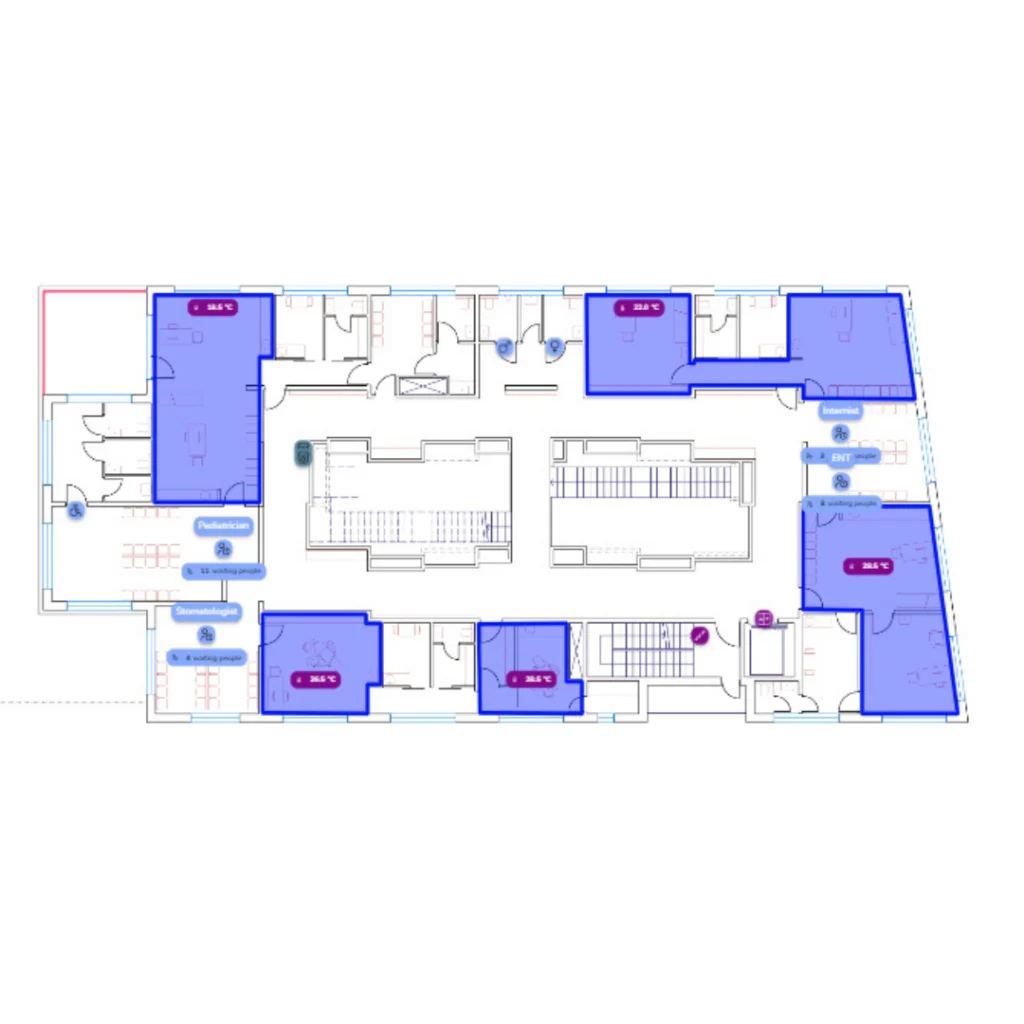
Monitor & Control menu item
A new Monitor & Control menu item has been added, currently showing elements via the floorplan. It enables monitored values to be visualized directly in maps and other views. For example, the occupancy of a room can be displayed within the respective room itself, ensuring that relevant information is shown exactly where it is needed.
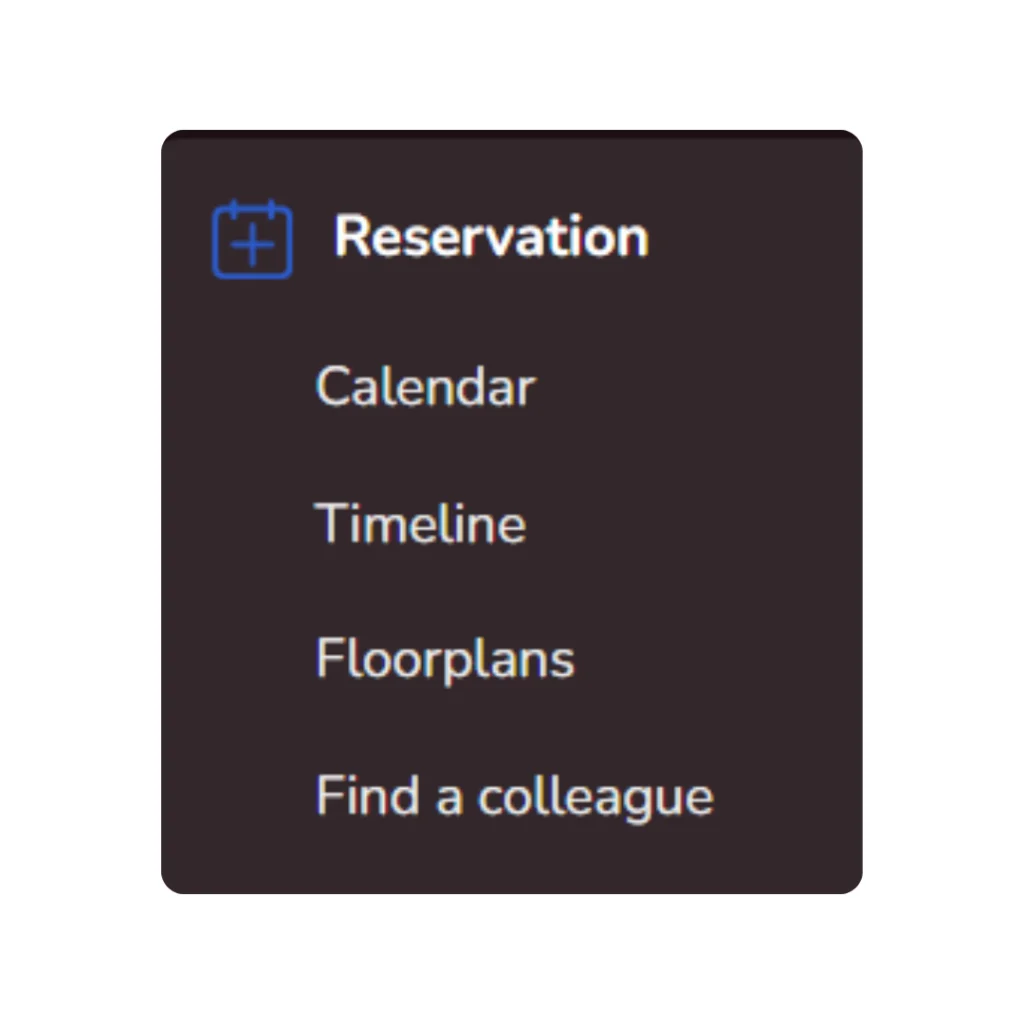
Rearranged CUE Assist menu
The menu has been reorganized so that all reservation-related features are grouped together in one place and presented in a clear, intuitive structure. This makes it easier to choose the booking method or other action that best suits your needs, providing a faster, more user-friendly experience.
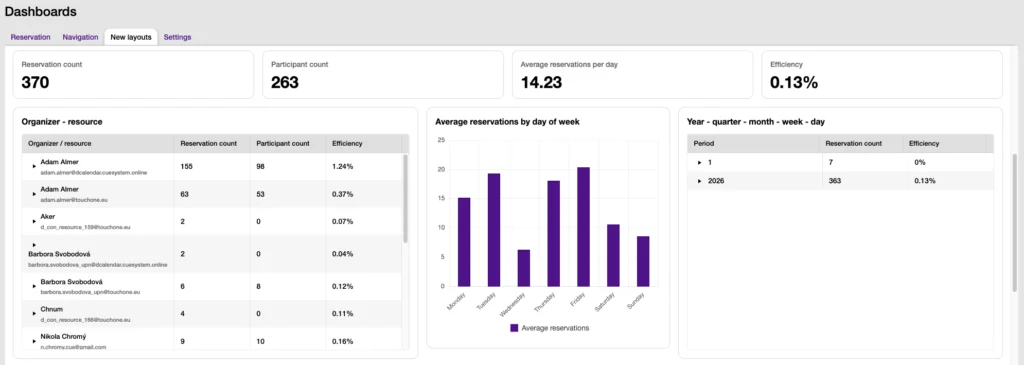
Analytics
As previously announced, some Power BI tools integration endpoints are now deprecated:
- ApiAnalytics (json-3), Api analytics grouped (json-2), and Api orders analytics (json-5). If you are using any of these deprecated endpoints, please contact us via the support portal.
A new experimental reservation dashboard based on Elasticsearch, without Kibana, is also available.
Admin
Some new features can now be enabled under User Management → Features. Currently, it is possible to configure map visibility of the Monitor & Control page in CUE Assist apps.
Administrators can now view IP rate limit exceedances and optionally receive warning notifications.
Other
- Username and password authentication and enhanced user workflows in CUE Assist
- Authorization messages have been improved, and PIN support has been added for CUE Calendar on touchONE units.
It is now possible to mandate the entry of an event subject on the reservation panels.
Addition of the touchCUE-7-W and touchONE-7-W products to the CUE Solution.
Fix for NFC reading issues on some touchONE-10-W units. The issue in versions 34.xx – 36.xx
Fix for touchscreen issue on touchONE-7 R03,R04,R07. The issue in versions 34.xx – 36.xx
Fix for automatic deletion of old log files. The issue in versions 34.xx – 36.xx
- Minor improvements and bug fixes.